The Complete Architecture
Governance Platform
Directives are the atomic unit of architecture governance. cajeX turns your knowledge base into approved directives, then applies them across every governance module — sessions, findings, reports, and dashboards — and out to the frameworks you answer to and the applications you run.
See cajeX in Action
A four-part walkthrough — knowledge base, directives, AI review, and findings. Watch the platform end-to-end in under six minutes.
Directives Are the Center of cajeX
Unstructured knowledge becomes approved directives. Every architecture governance module in the platform produces, applies, or audits them.
Input
Unstructured knowledge
High-volume, noisy, not enforceable
Core asset
Directives
Atomic, structured, approved rules. The unit of architecture governance — what AI enforces, what auditors see, what architects are held to.
Consuming modules
Architecture governance modules
Every module produces, applies, or audits directives
Standards documents, policy PDFs, whitepapers, and Confluence pages live in your knowledge base as raw material. They are high-volume and valuable — but unstructured, and impossible to enforce at review time.
cajeX distils them into directives: atomic, approved rules that the AI applies at review time and that every governance module below operates on.
Architecture governance modules
The Modules That Consume Directives
Every feature below is a way of producing, applying, or auditing directives.
Dashboard & Analytics
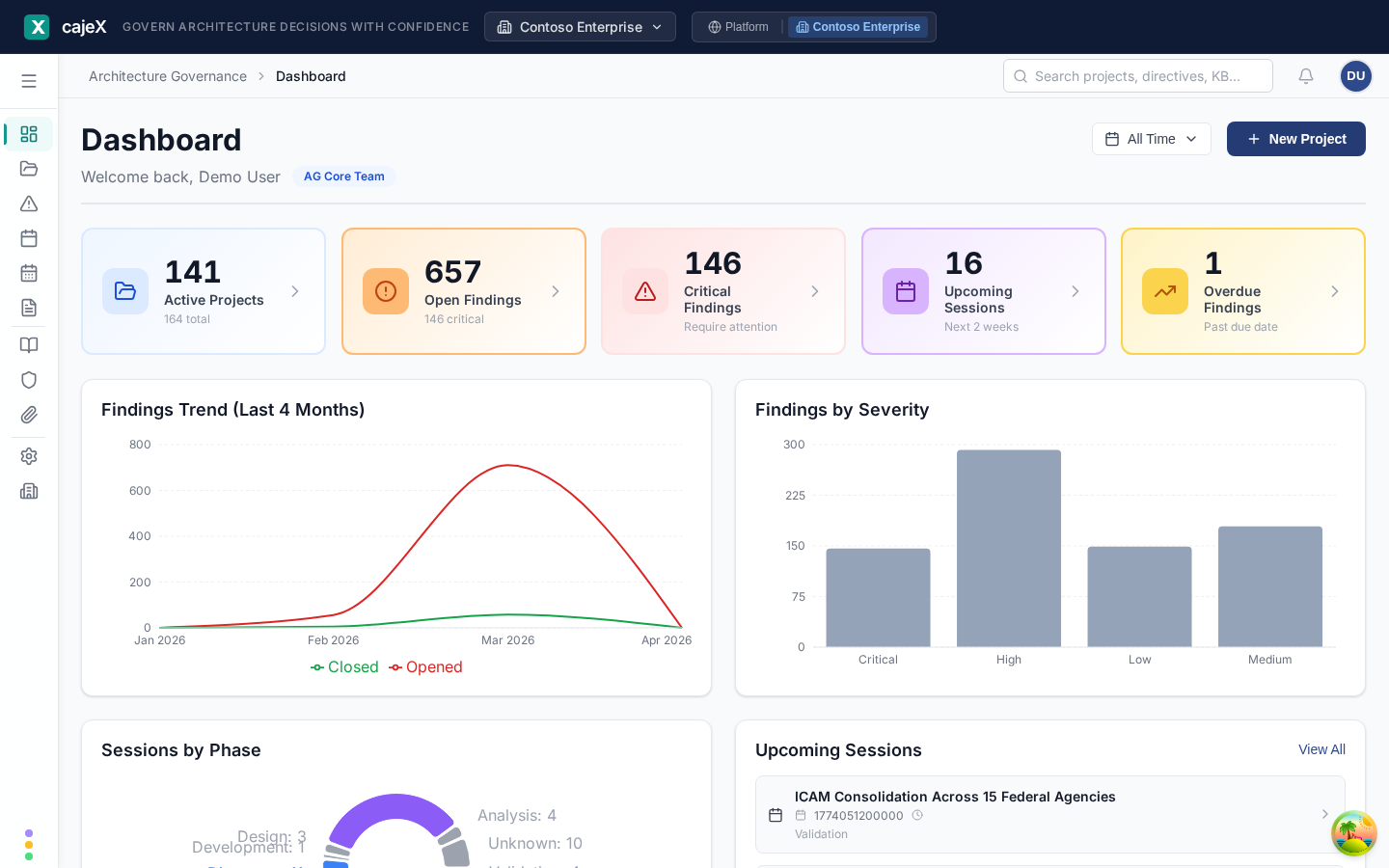
Real-time KPIs across active projects and findings, with findings trend charts and session utilisation metrics. Drill down into project-level data with interactive charts.
Architecture Sessions
Schedule and run architecture review sessions using customisable workflow templates — Governance, Advisory, or Agile. Built-in scheduling and automated email reminders keep every review on track.

Findings Management
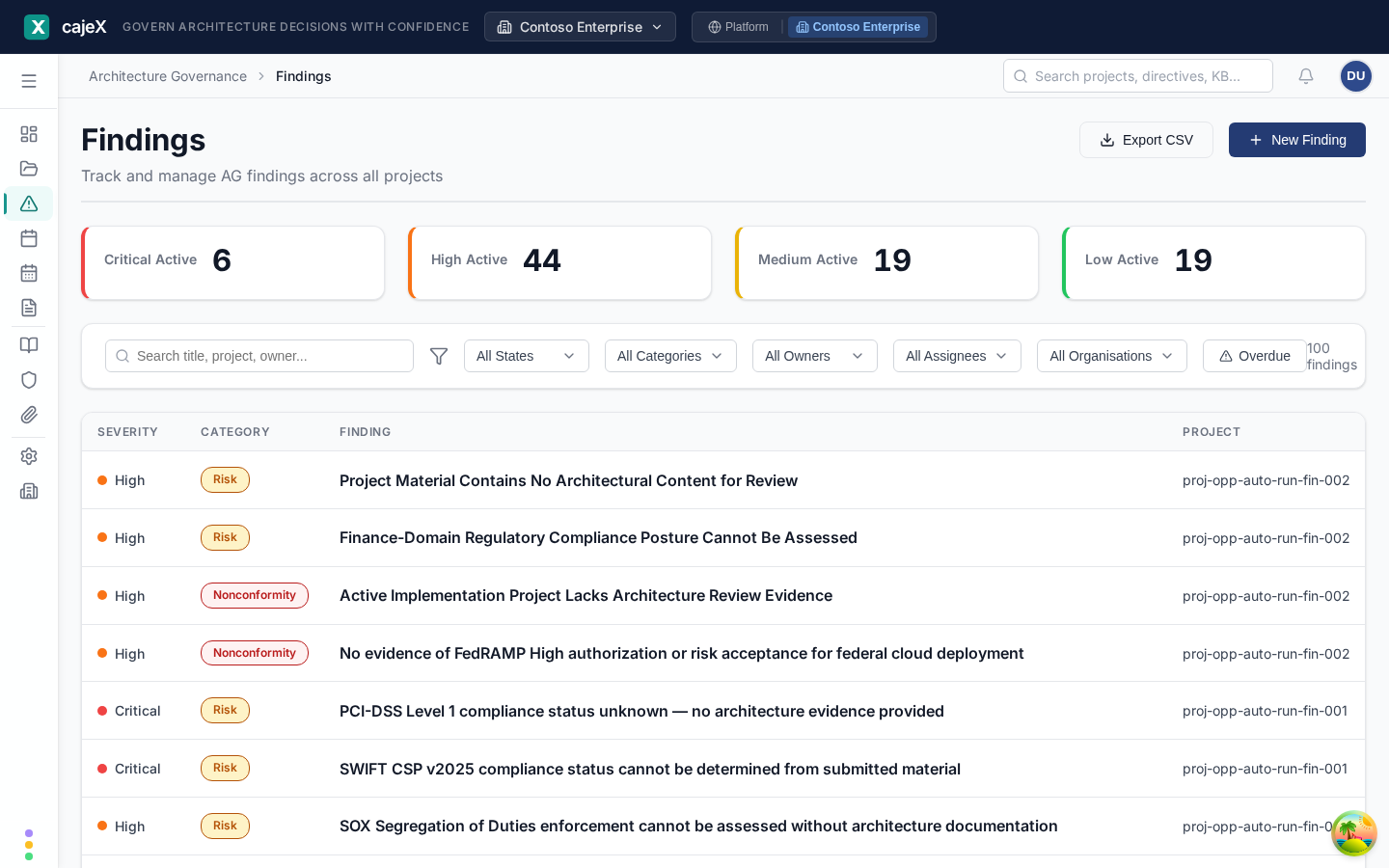
Capture findings with severity levels; AI-generated findings also include confidence scores. Track the full lifecycle from identification through remediation with clear ownership and deadlines.
Document Management
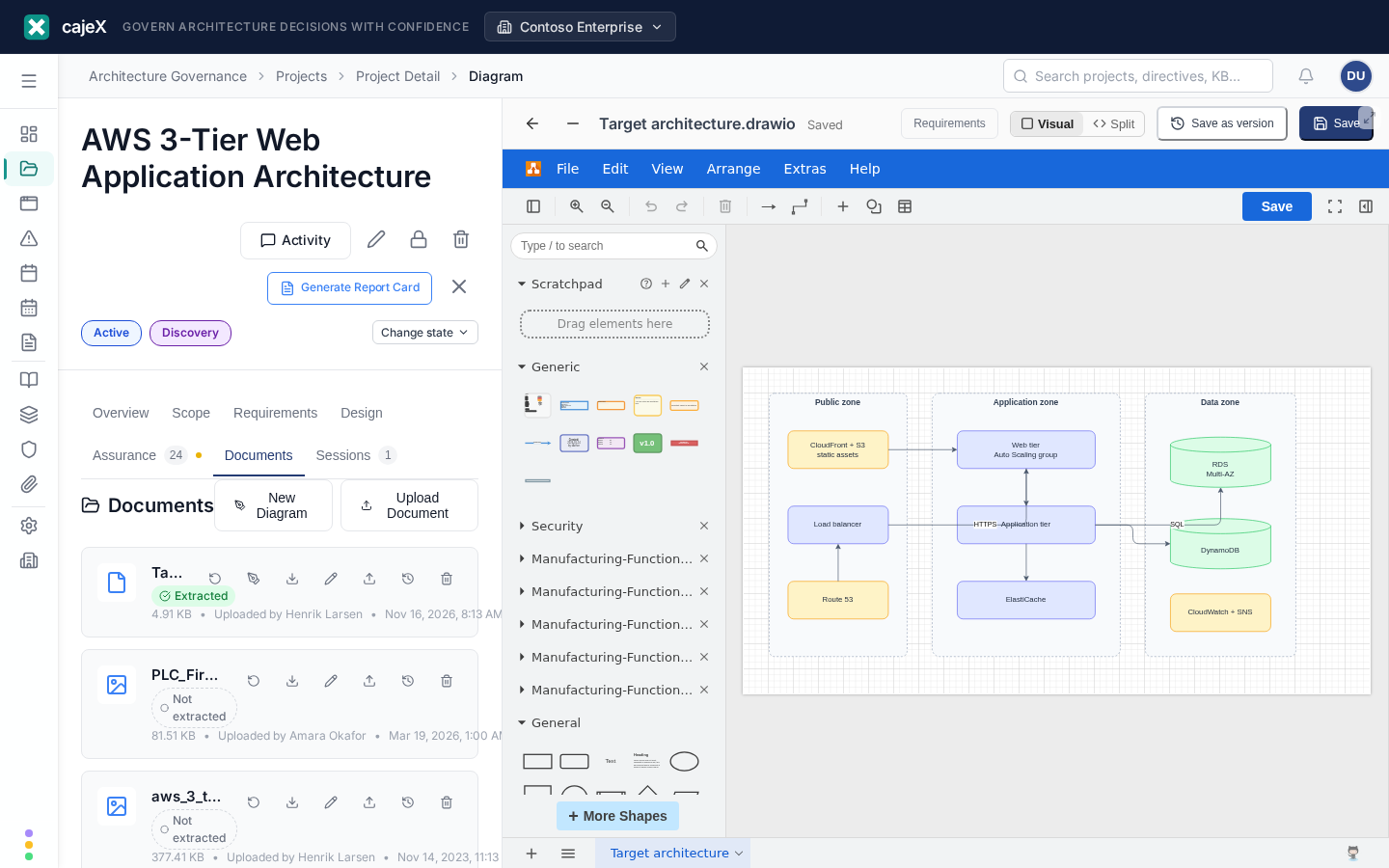
File upload with version history, backed by Cloudflare R2 object storage. Attach architecture diagrams, decision records, and compliance evidence to any project or session.

Reports & Compliance
Generate assessment reports on screen, save snapshots, and export to PDF. The workspace audit log is available to workspace admins.

More Than Reviews
The same directives reach further than a project review: into the frameworks you answer to, the applications you run, and the drawings and tests that describe them.
Working in cajeX
Governance work is reading one thing while deciding about another. The workspace is laid out for that.
Side by side
A finding opens beside its project, a diagram beside its review. Panes stay where you left them.
On a phone
One screen at a time, with a bottom navigation bar and pages sized for a thumb.
Dark mode and your columns
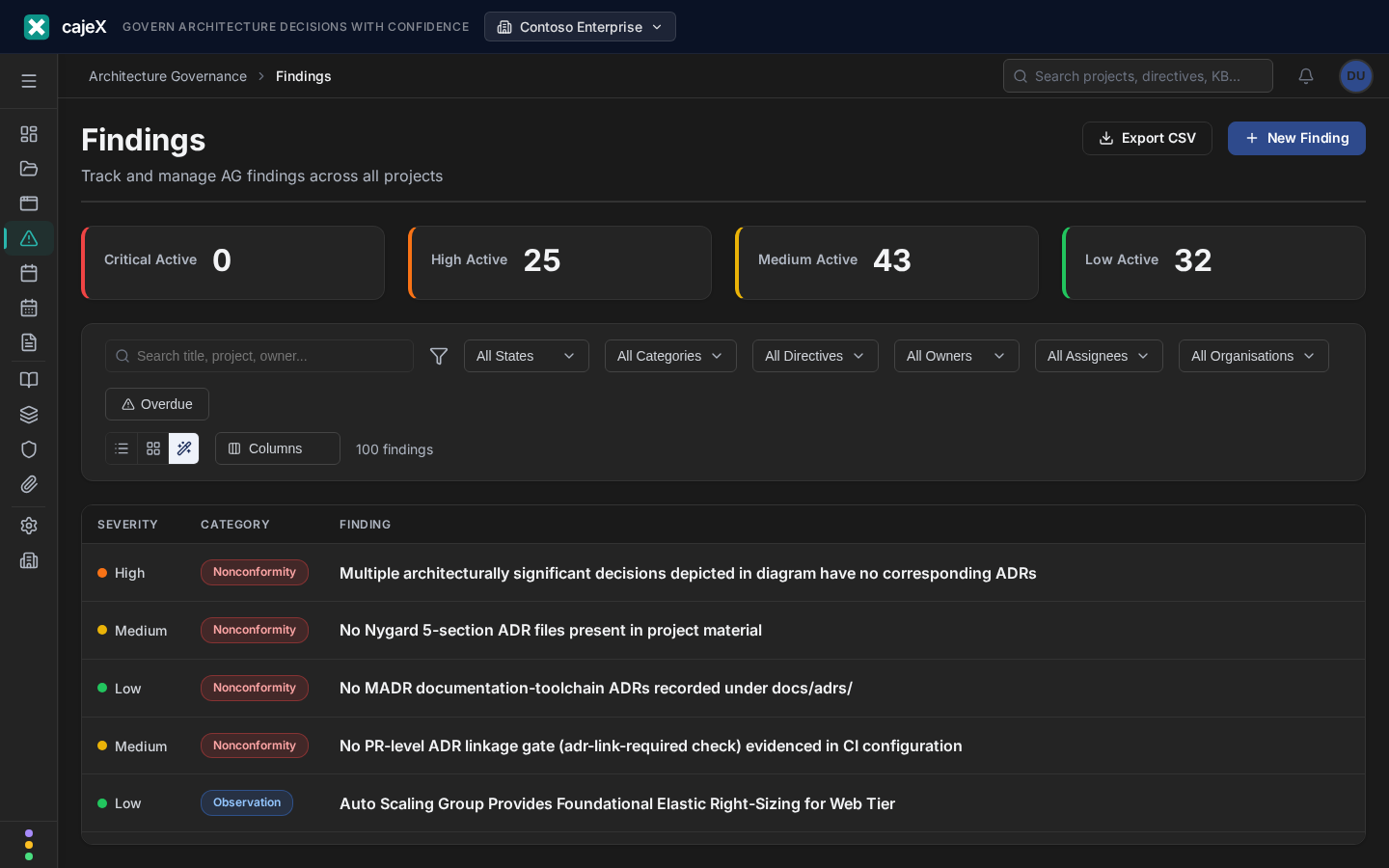
Every screen follows dark mode. Table columns and card or row views are saved to your account.
What happened while you were away
A bell for what changed, in your time zone, and each person chooses which emails they receive.
Four Capability Pages
The governance modules above run on top of four platform-wide capabilities. Each has a dedicated page with a deep dive.
Ready to modernize your architecture governance?
Start free. No credit card required. Upgrade when you are ready.