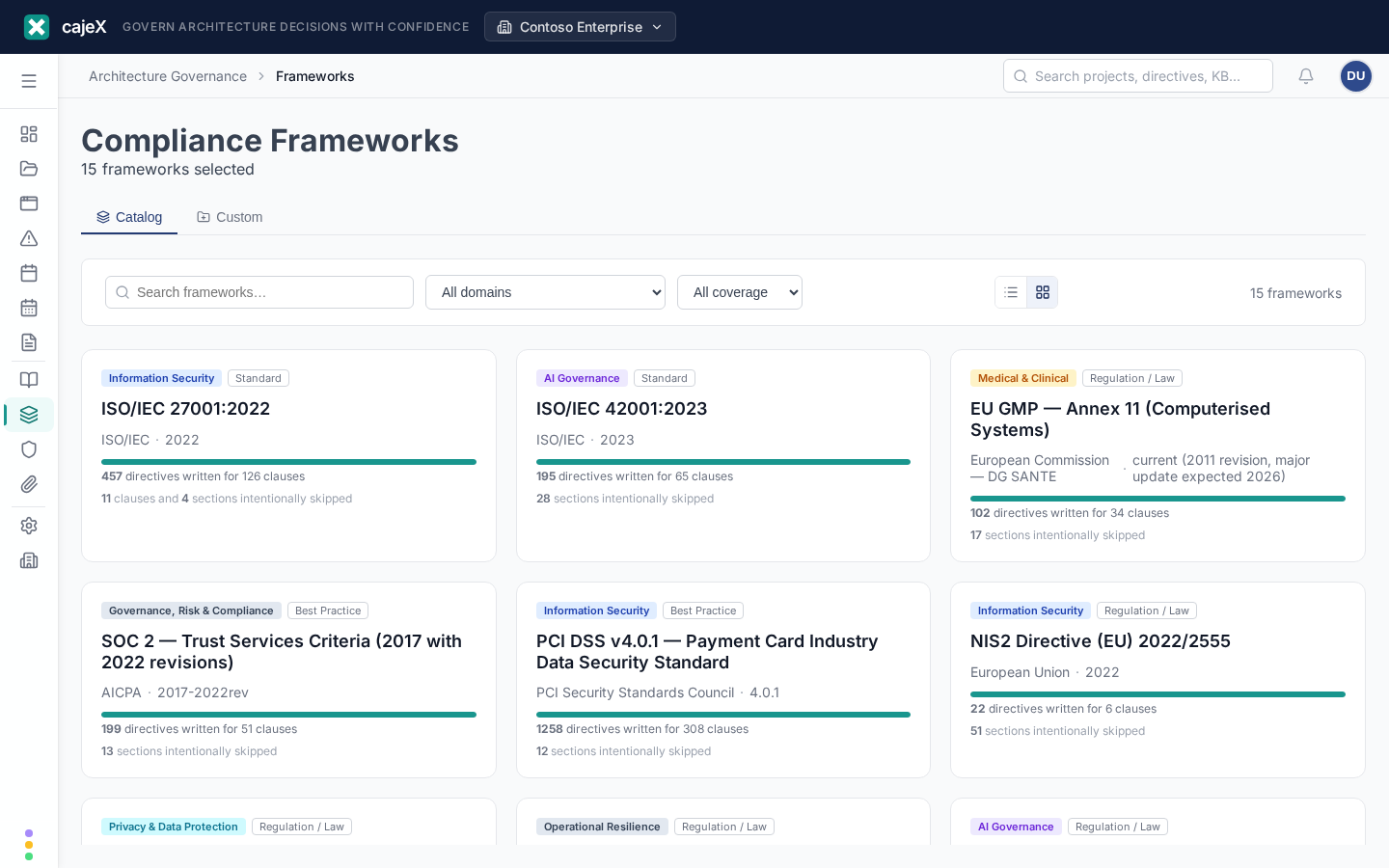
What it does
Frameworks are the published standards your governance program is measured against — ISO 27001, SOC 2, NIST CSF, and hundreds of others. The Frameworks screen is the catalogue: it lets you browse the available frameworks, understand which ones apply to your organisation, and enable the ones relevant to your workspace.
Enabling a framework brings its clauses into scope. Your directives map to those clauses, and findings reference them — so the frameworks you enable determine what your reviews are assessed against and what your reports can attest to.
How to use it
Browsing the catalogue
Each framework in the catalogue shows a short description, its applicability (the industries, regions, or triggers it's meant for), and how many clauses it contains. Use the search and filters to narrow the catalogue to what's relevant — for example by industry or by the regulation you need to meet.
Understanding applicability
Open a framework to see its "About this framework" panel: why it might apply to you, its applicability scope, and the triggers that make it relevant. This helps you decide whether to enable it rather than guessing from the title alone.
Enabling frameworks for your workspace
Enable a framework to bring it into scope for the workspace. Once enabled:
- its clauses become available for directives to map to;
- findings can reference its clauses;
- it can be included in reports.
Disable a framework you no longer need to take its clauses back out of scope. Enabling and disabling never deletes your directives — it only changes which clauses are in scope.
Clause detail
Within a framework you can expand its clause tree — switch between a condensed view (the clauses that generate directives) and the full published structure. Clauses that are intentionally out of scope are marked, with a short note explaining why.
Permissions
Browsing the catalogue is available to any member. Enabling or disabling frameworks for the workspace is an admin action, because it changes what the whole workspace is assessed against.
Tips
- Enable what you're actually pursuing. Every enabled framework widens the clause set your directives and findings map to; a focused set keeps reviews and reports meaningful.
- Let applicability guide you. If the "About this framework" panel says a framework doesn't apply to your industry or region, you probably don't need it.
- Frameworks and directives work together. A framework defines what you're measured against; your directives are how you've decided to meet it. Enable the framework first, then let the AI help draft directives that map to its clauses.