What it does
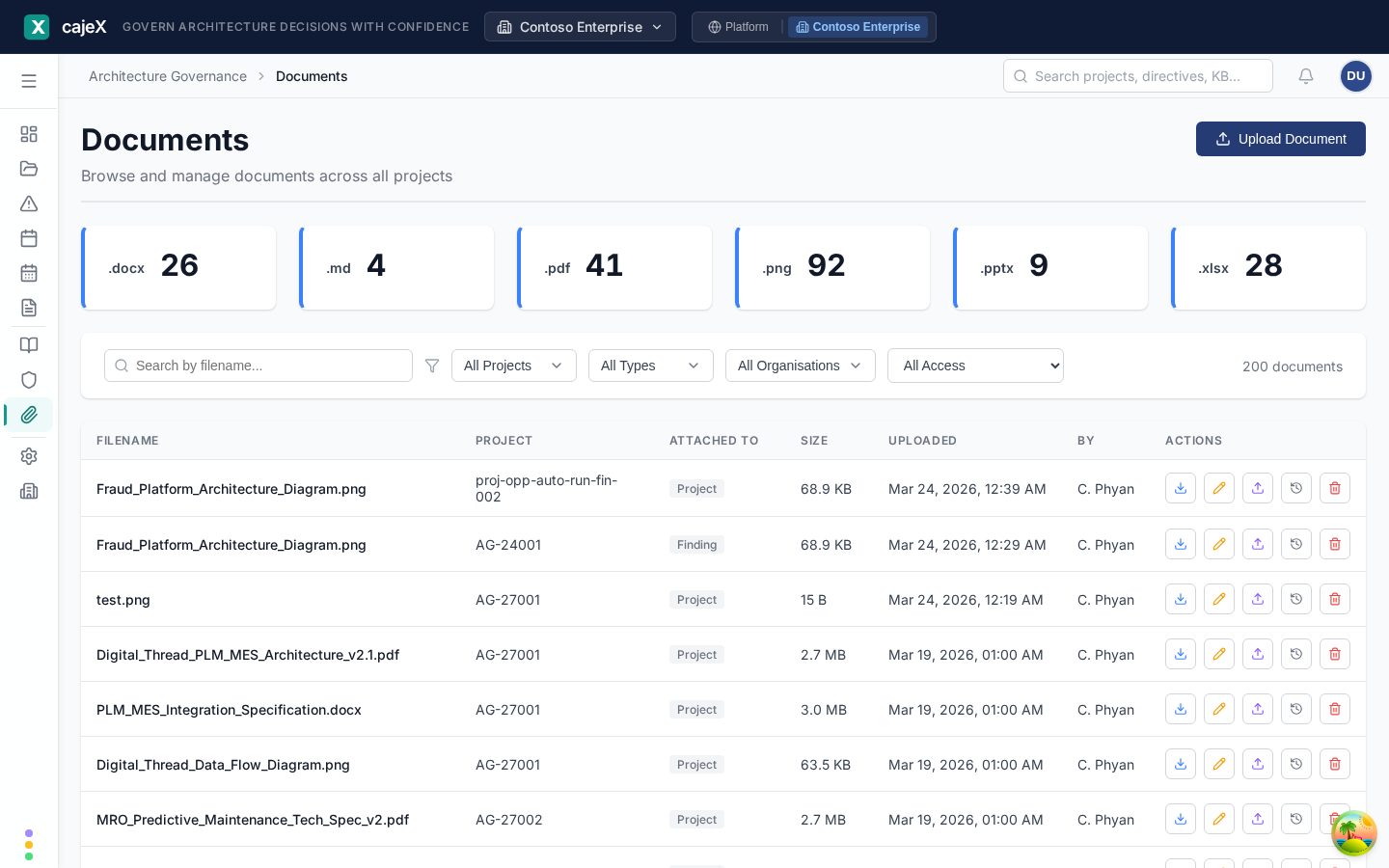
Documents is your workspace's file browser across everything. Each file uploaded to a project, an application, a session, a finding or a knowledge base entry is listed here, so you can find it without remembering where it was attached.
Diagrams drawn in cajeX are documents too: a .drawio file that opens in the diagram editor. See Diagrams.
How to use it
Browsing
The tiles across the top count documents by file type. Click one to see only that type.
Search by filename, and filter by project, by type of thing a document is attached to, by organisation, and by access (everything, or confidential only). Show the list as rows, cards or a table, and choose the table's Columns.
Each row shows the filename, what it is attached to, its size, when it was uploaded and by whom. A lock marks a confidential document. A v2 or later badge means it has earlier versions.
Opening a document
Click a row to open the document's details beside the list: what it is, what it is attached to, and its history. Opening a document shows it; it does not put you in an edit form.
The row actions
- Download — the file itself.
- Edit (the pencil) — change the filename and description, mark it confidential, or change what it is linked to. This is how a document moves from a project to the application it describes.
- Upload New Version — replace the file. The earlier version is kept.
- Version History — every version, each downloadable.
- Delete — remove it. You are asked to confirm.
Uploading
Click Upload Document, choose what to attach it to (a project, session, finding or knowledge base entry), pick that record, and add the file.
Supported types include PDF, Word, Excel, PowerPoint, Markdown, images and Visio. PDFs and office documents are read by the AI so their contents can be used in reviews; the document shows whether that has finished, and long PDFs are read in full.
Documents and applications
A project's documents describe a change. A document that describes an application as it now is, an architecture overview, a runbook, an interface catalogue, belongs on the application. When a project with linked applications completes, cajeX offers to hand its documents over, with a suggested destination and a reason for each. With Applications on, an application's documents can also say what kind they are and are flagged when they are due for review. See Applications.
Permissions
You see a document if you can see what it is attached to. A document on a confidential project or application is visible only to that team, and does not appear in this list for anyone else. Renaming, uploading a new version and deleting depend on your role; actions you may not take are not shown.
Tips
- Use Upload New Version instead of uploading "v2" and "final-FINAL" as separate files. The history stays on one record.
- If a review seems to have missed something that is in a document, open the document and check its text was read.
- Before deleting, look at what the document is attached to. A file cited by a finding is part of that finding's evidence.